How Cognition Uses Devin to Build Devin
We've been building Devin with Devin since the beginning. Last week, we merged 659 Devin PRs into our own codebase, up from 154 in our best week in 2025.
Many of you know Devin as the web app. Internally, we use it across every interface (web, Slack, Linear, CLI, API) depending on where the work starts. This post covers how we leverage all of them.
Core Experience
The setup is this: we add any of the codebases we'd like Devin to manage. We're then given a unified interface where we can work across all of our repos using natural language.
It's designed as a conversational interface, so we can chat with it the same way we'd message a teammate, whether from Slack, a Linear or Jira ticket, or the web app. Tag @ Devin in any channel. Include attachments if needed. Communicate back and forth as we would in the regular chat interface.
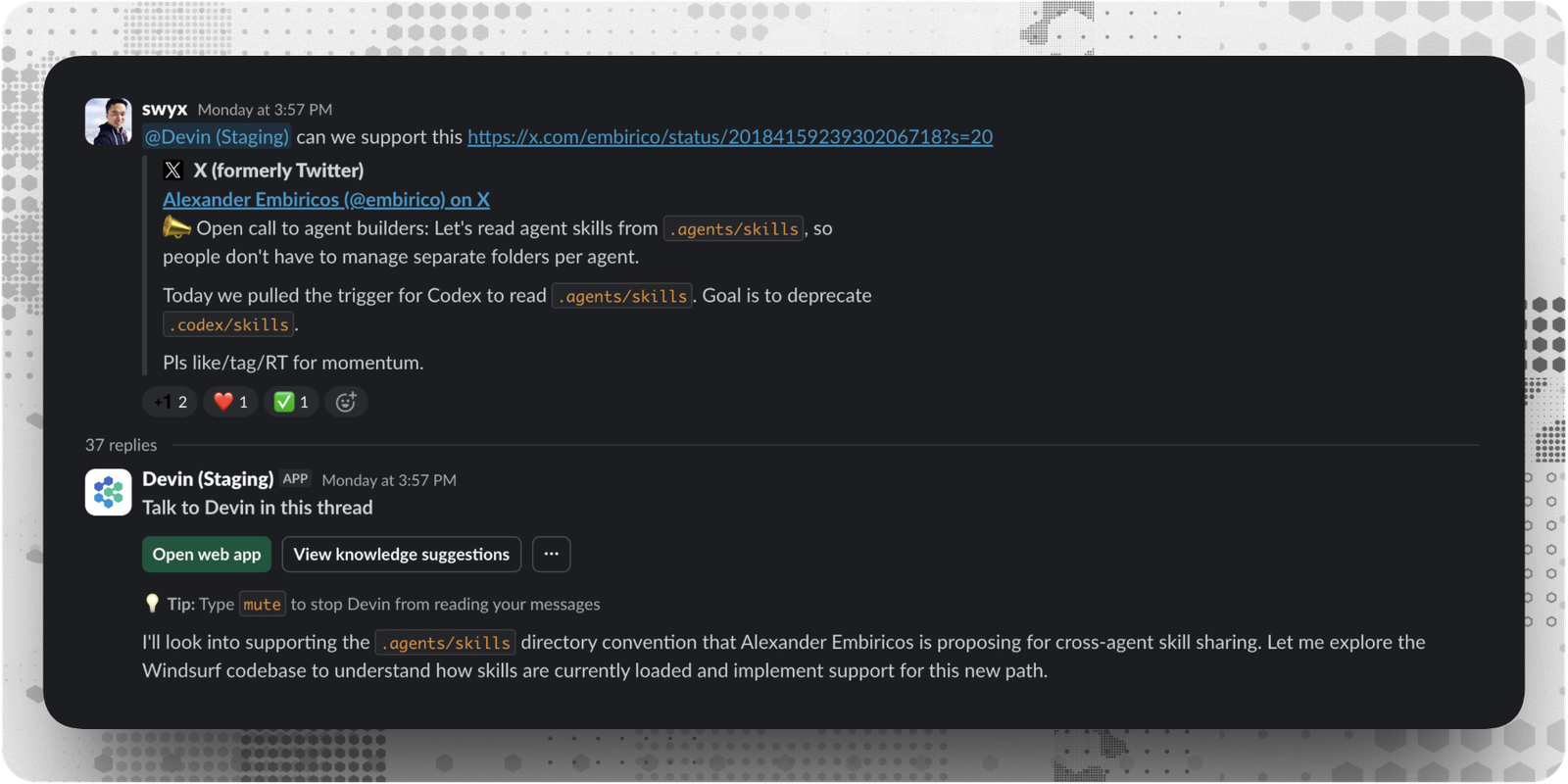
A powerful result is that anyone is able to contribute regardless of their technical expertise or role in the company, they don’t need to understand and set up Git or any command line tools to start contributing to our codebases.
Tag @ Devin with a request and we get a PR we can review and test out. If someone notices out of date documentation or a bug for example, they send a short message in Slack to get it fixed and move on with their day.
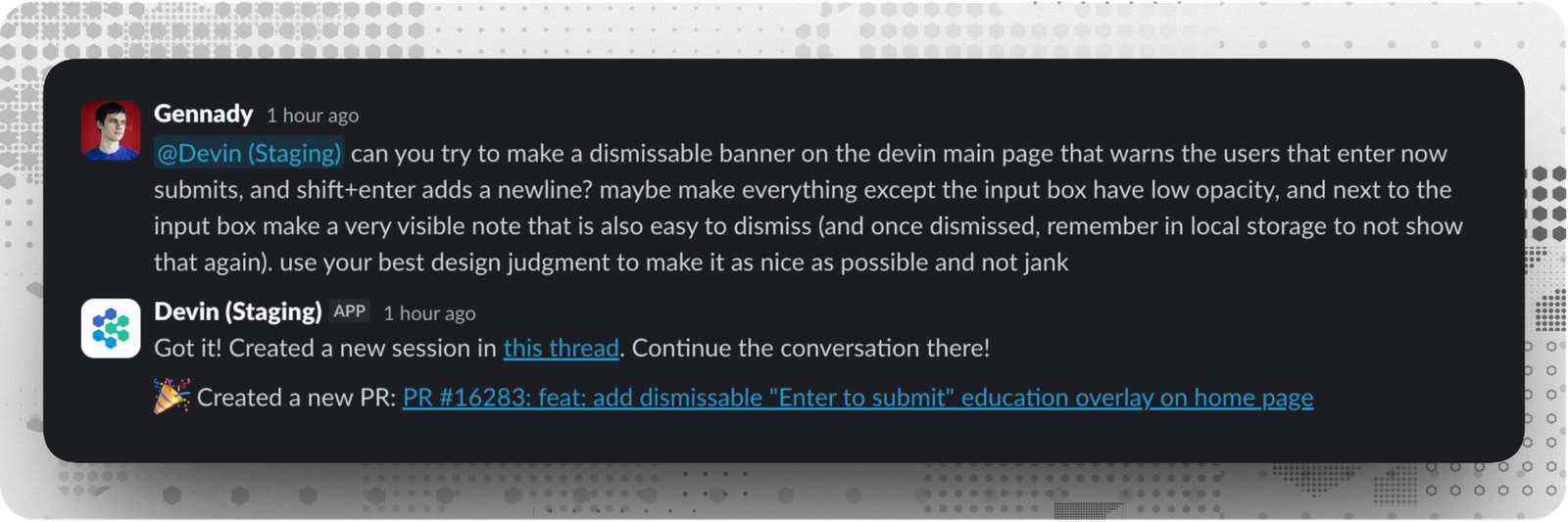
This removes friction and barriers for rapid iteration and polish,and results in less context switching.
And when engineers see what their teammates are accomplishing with Devin, on the same codebase they work on every day, they have the "Oh, really? Devin can do that?" moment, so it spreads organically.
Ask Devin (Codebase Q&A)
Once a repository is added to Devin, it's automatically indexed. Ask Devin becomes a window into that codebase.
We use this constantly for scoping work before starting sessions. The workflow: use Ask Devin to explore the code and clarify a goal, then start a session directly from the search interface.
Devin starts with clear context from our exploration, and the prompt is automatically tailored to our task.
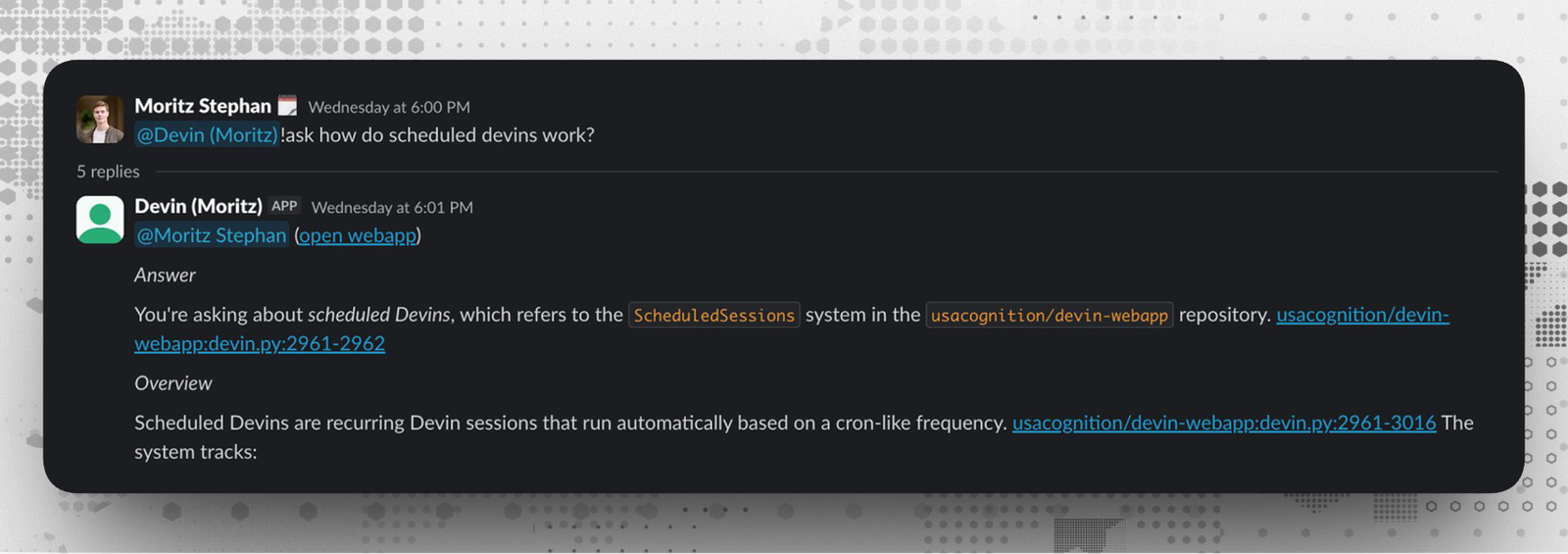
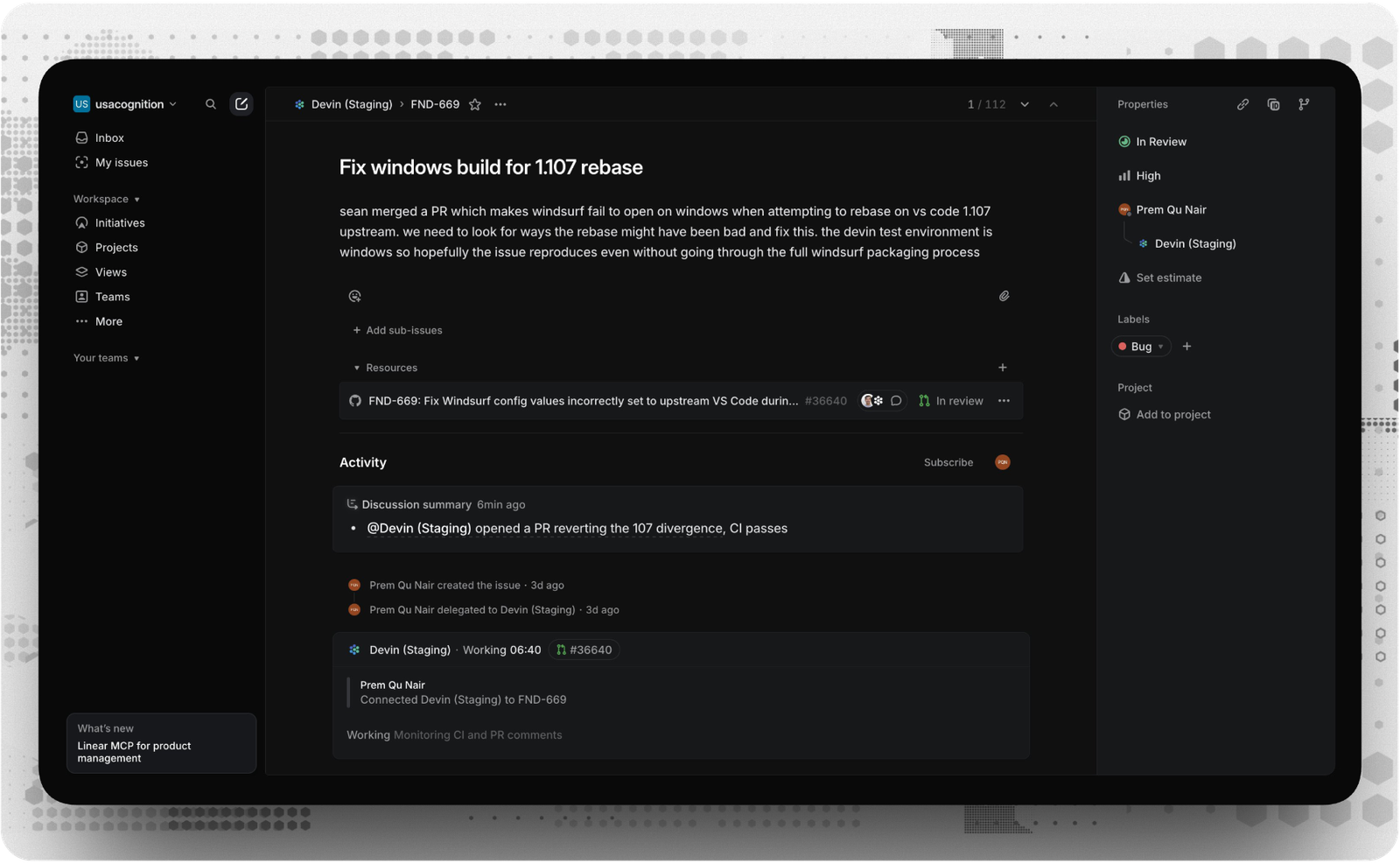
This same workflow applies with Jira or Linear integrations. Tag Devin on a ticket. Devin analyzes the task, searches the codebase, and plans its approach. It generates a high-quality session prompt automatically.
Automated Code Review
As we ship more code with agents, the bottleneck shifted from writing code to reviewing it. Devin Review turns large, complex GitHub PRs into intuitively organized diffs and precise explanations.
We use it for every PR now.
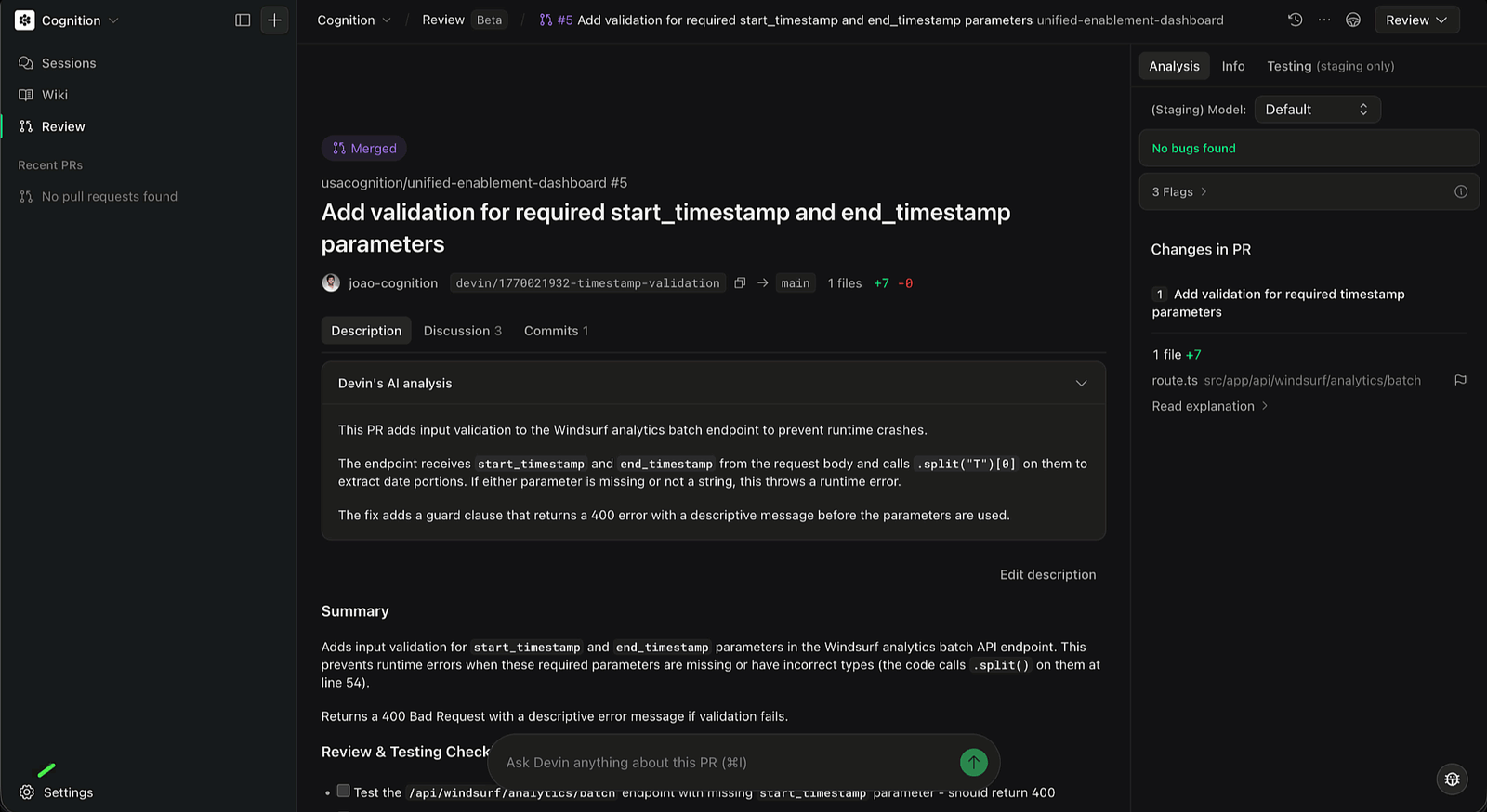
Every time Devin posts a PR in Slack, it includes a Devin Review link, so the organized diff is always one click away.
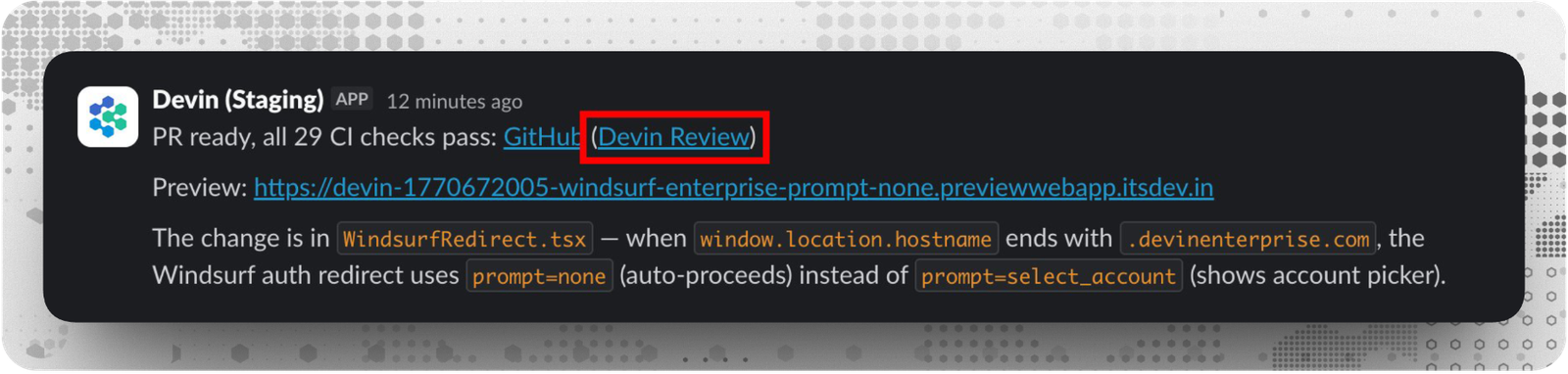
What makes Devin Review useful:
- Autofix. If Devin Review or a GitHub bot flags bugs, Devin automatically fixes the PR. Devin also tackles CI/lint issues until all checks pass, closing the agent loop.
- Smart diff organization. Groups changes logically, putting related edits together instead of alphabetical order.
- Copy and move detection. Detects when code has been copied or moved and displays changes cleanly, instead of full deletes and inserts.
- Bug Catcher. Automatically analyzes PRs for potential issues and labels them by confidence level. Severe bugs require immediate attention. Non-severe bugs should still be reviewed. Flags are informational annotations.
- Codebase-aware chat. Ask questions about the PR and get answers with relevant context from the rest of the codebase.
For any GitHub PR link, you can replace github.com with devinreview.com in the URL.
Once Auto-Review is configured, Devin starts automatically reviewing PRs when they're opened, when new commits are pushed, or when someone is added as a reviewer.
Design System
Design systems drift. Someone hardcodes a hex value, another person builds a one-off button, and suddenly we're maintaining multiple sources of truth. We handle this two ways.
First, anyone can fix violations the moment they spot them. Tag Devin in Slack with a screenshot and it migrates the component to match the design system.
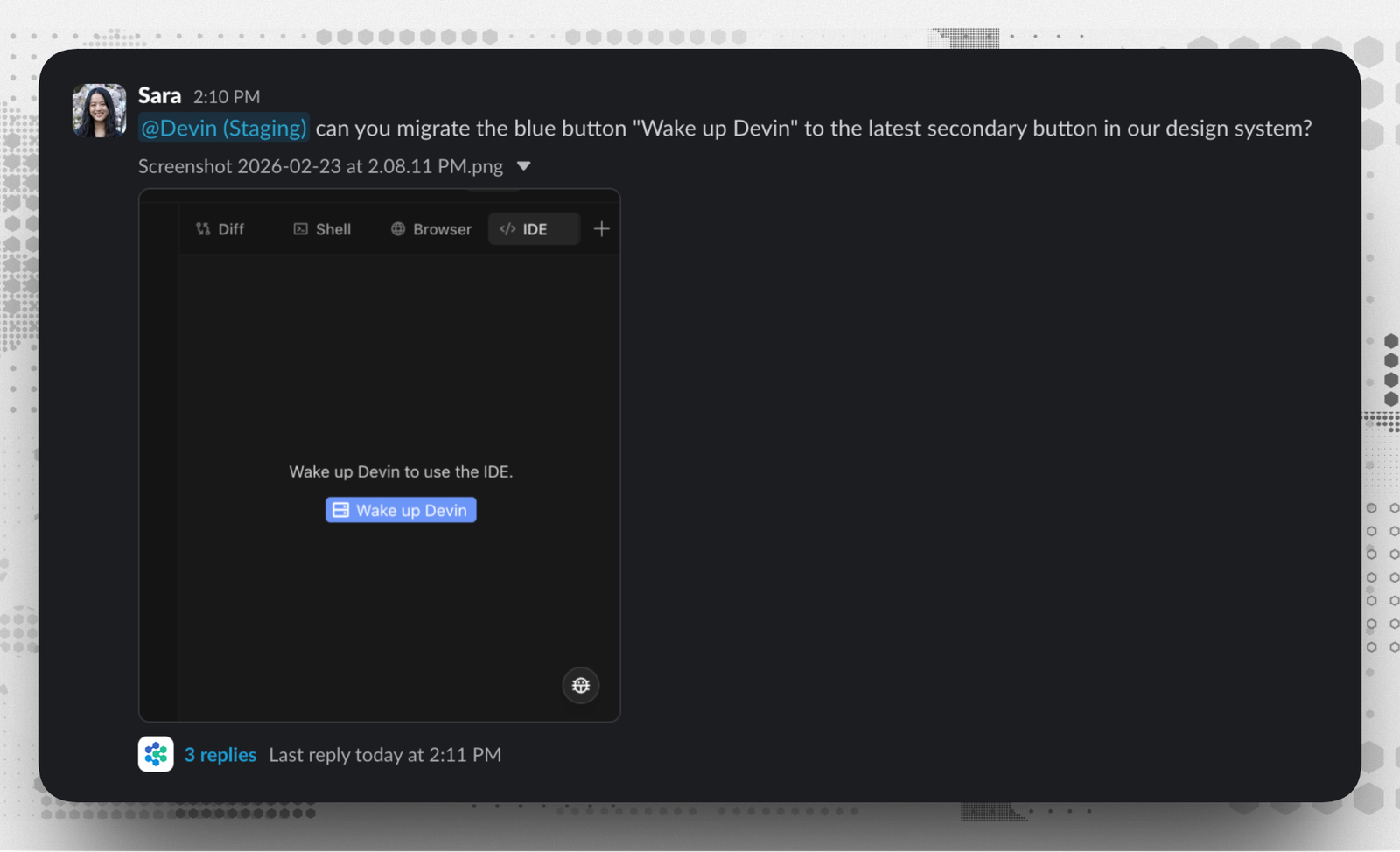
Second, we run a daily audit. Every morning Devin scans PRs merged in the last 24 hours, flags hardcoded colors, non-standard spacing, and components that should use the shared library. It creates Linear tickets for each violation, and optionally opens fix PRs automatically.
The combination means violations get caught whether someone notices them or not.
Bug Triage Automation
When a bug lands in Linear, someone has to stop what they're doing to investigate—reading the ticket, searching the codebase, checking recent commits—before any actual fixing happens. We automated that entire triage step.
We set up a !triage-bug playbook that captures how our engineers actually investigate: read the report, search for relevant code paths, check git history, then summarize findings with root cause and suggested fix. The automation fires when anyone adds the Bug label to a ticket—no assignment needed.
A ticket like "500 error on /contact after Friday's deploy" turns into Devin automatically finding the file, spotting a recent regex refactor in git log, and posting a summary back to Linear: root cause, affected files, suggested fix approach.
We connect the Datadog MCP so Devin checks logs during its investigation. By the time an engineer picks up a bug, the investigation is already done.
End-to-End Bug Debugging
Some bugs need more than triage. They need someone to pull logs, check the database, trace the code change, and write a fix. We connected Devin to Datadog and gave it read-only database access so it can run full investigations.
When a bug report comes in (like "Pro users seeing 'undefined' on the billing page since Friday's deploy"), Devin pulls error logs from Datadog, queries the read replica to verify data state, traces the breaking commit in git history, writes a fix with a regression test, and opens a PR.
The investigation that used to pull an engineer off their work for an hour now happens in the background. We review the PR, not the logs.
DANA (Data Analyst Agent)
DANA is a specialized version of Devin optimized for querying databases, analyzing data, and creating visualizations.
We use it for questions about our data warehouse, building dashboards, and answering data questions without pulling an engineer off their work. It's become a go-to for non-engineering tasks too, like the "click a bunch of buttons to fill out a report" work that used to eat up time.
We’re able to access DANA from the web app by clicking the agent picker dropdown, or from Slack using /dana or @Devin !dana followed by our question.
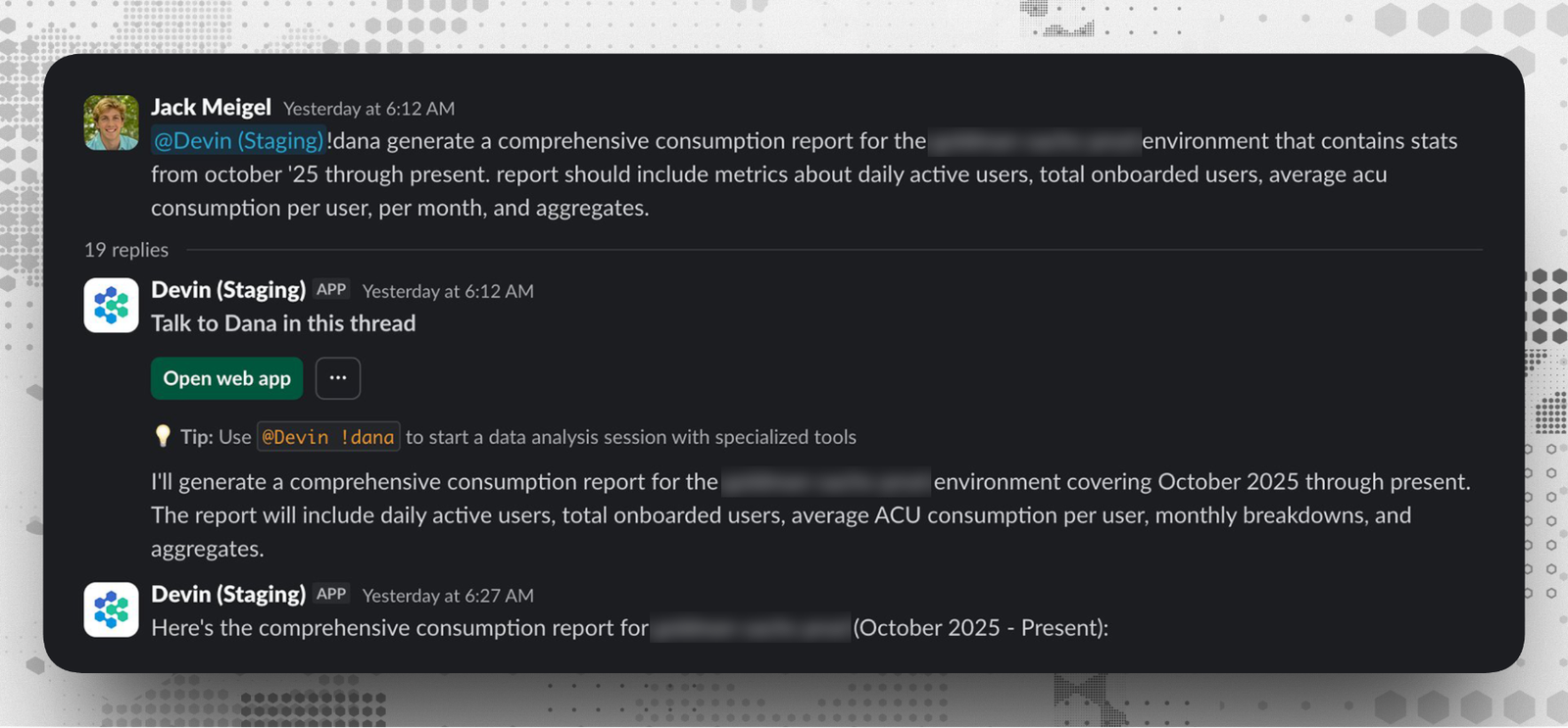
We've learned to be specific about metrics, include time periods, and ask for visualizations when they'd help.
DANA connects to our data warehouse through MCP—Redshift, PostgreSQL, Snowflake, BigQuery, whatever we're running—and maintains its own database knowledge so it already understands our schema before we ask anything. It's optimized for concise, metrics-focused answers with built-in seaborn visualizations, so we get charts and insights back fast instead of waiting for an engineer to context-switch into a SQL client.
We've found it especially useful for the kind of ad-hoc questions that used to sit in someone's queue for days. Questions like "why did signups drop Tuesday?" or "break down consumption by enterprise vs self-serve" can be answered by anyone on the team just asking in Slack, with the SQL included so we can validate the logic.
DeepWiki
With DeepWiki, Devin automatically indexes all repos and produces wikis with architecture diagrams, links to sources, and summaries of the codebase. Ask Devin uses information in the Wiki to better understand and find relevant context.
For public repos, deepwiki.com automatically generates architecture diagrams, source links, and documentation, no setup required.
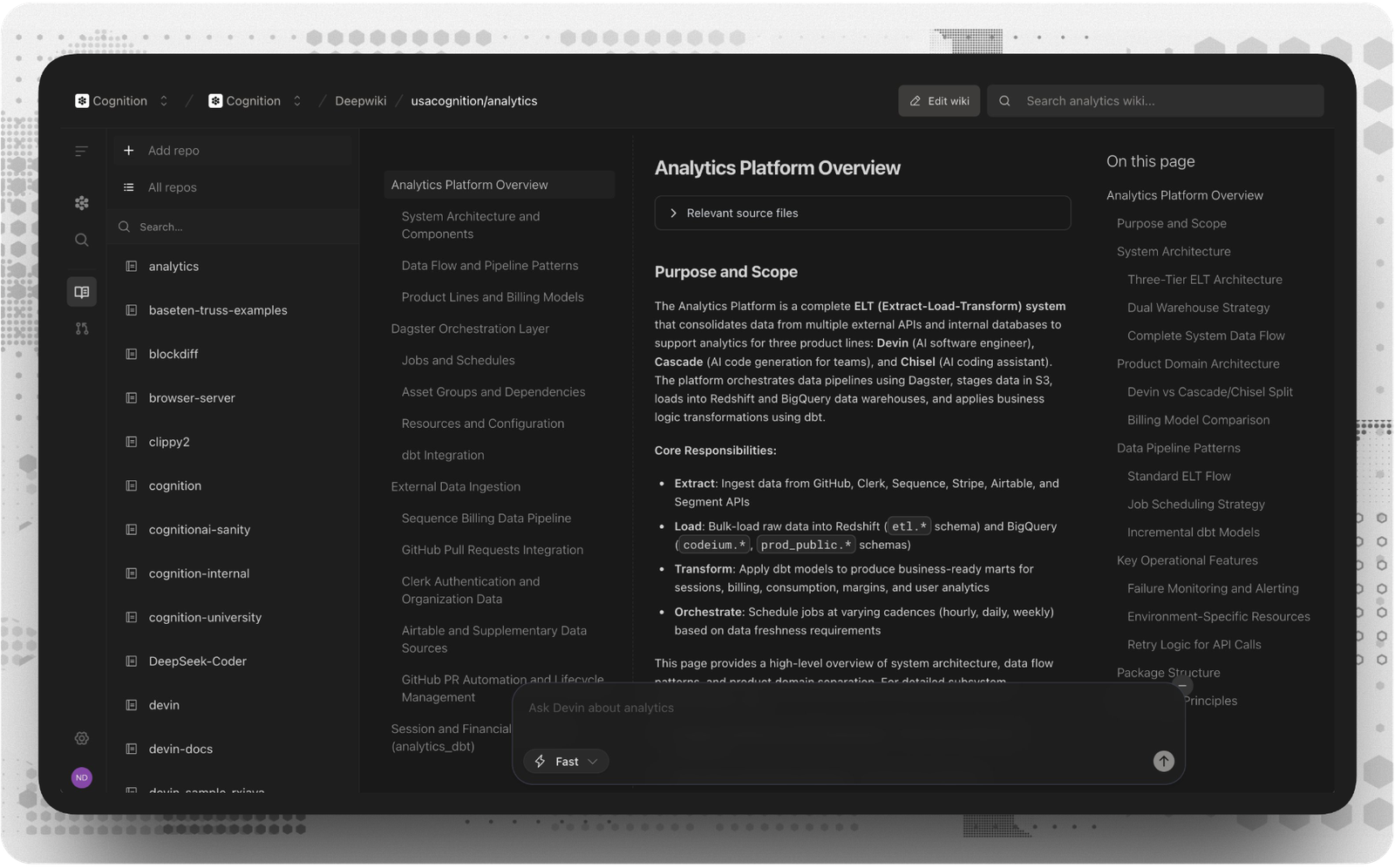
We also maintain a free DeepWiki MCP.
Playbooks
A Playbook is like a custom system prompt for a repeated task. If we find ourselves repeating the same instructions across multiple sessions, that's when we create a Playbook.
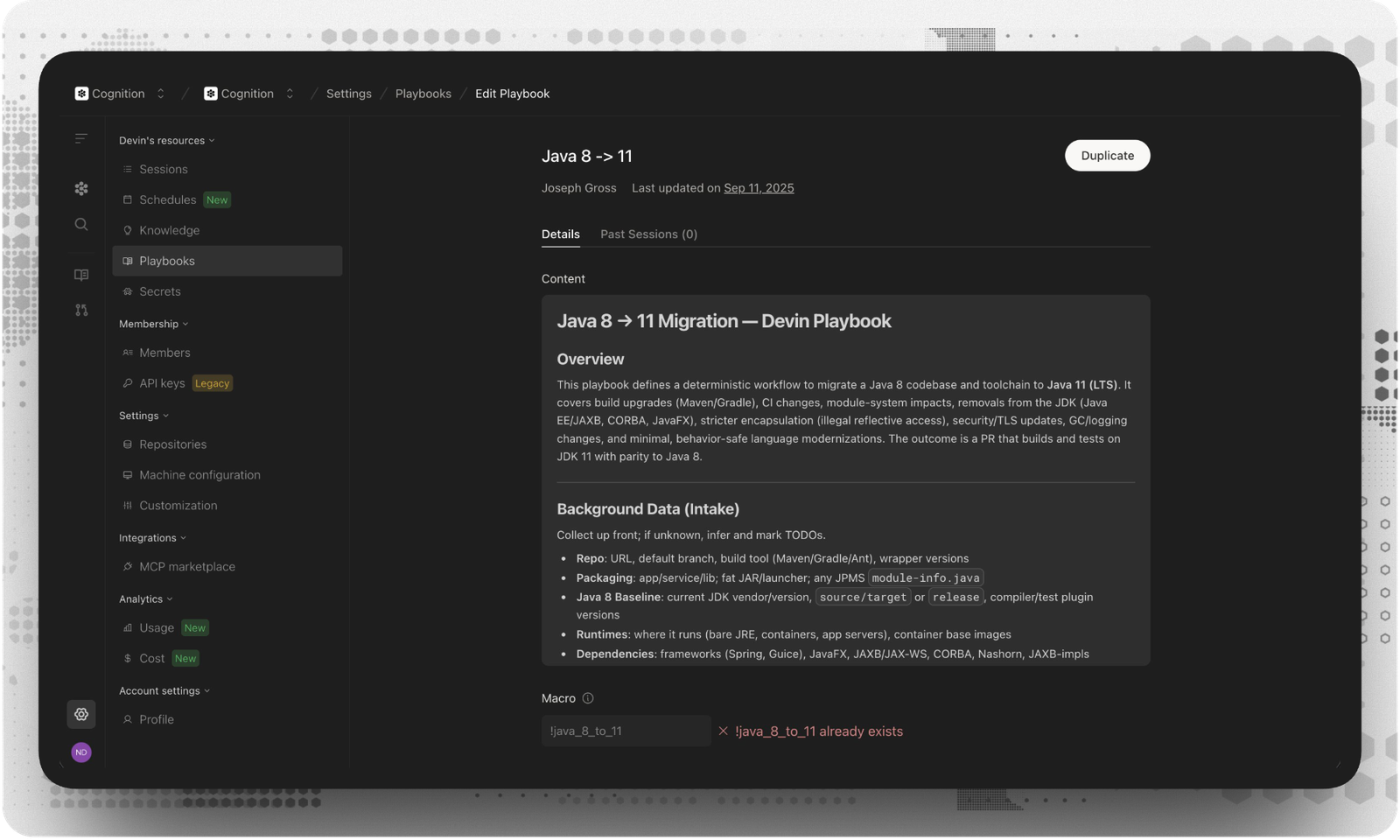
Once anyone succeeds with Devin, others can replicate that success. A good Playbook includes:
- The outcome we want Devin to achieve
- The steps required to get there
- Specifications describing postconditions
- Advice to correct Devin's priors
- Forbidden actions
- Any required input or context from the person kicking it off
We use Playbooks for complex recurring work—ingesting data into Redshift, running database migrations, integrating with Stripe, Plaid, and Modal.
MCP Marketplace
MCP enables Devin to use hundreds of external tools and data sources. We use MCPs to dig through Sentry, Datadog, and Vercel logs. Connect database MCPs for data analysis in Slack. Pull context from tools like Notion, Airtable, and Linear.
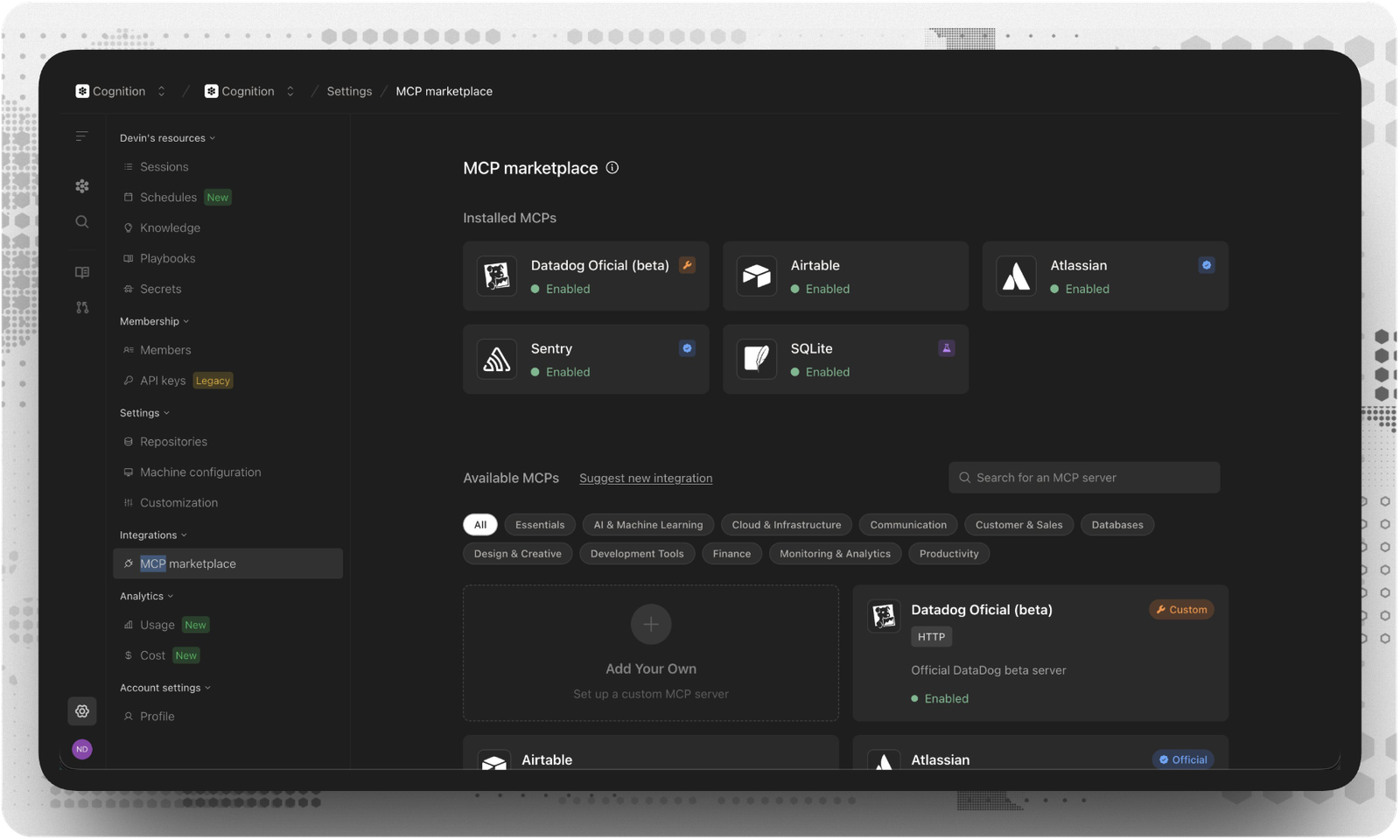
Many can be enabled with a single click—Vercel, Atlassian, Notion, Sentry, Neon, Asana, Jam, and more.
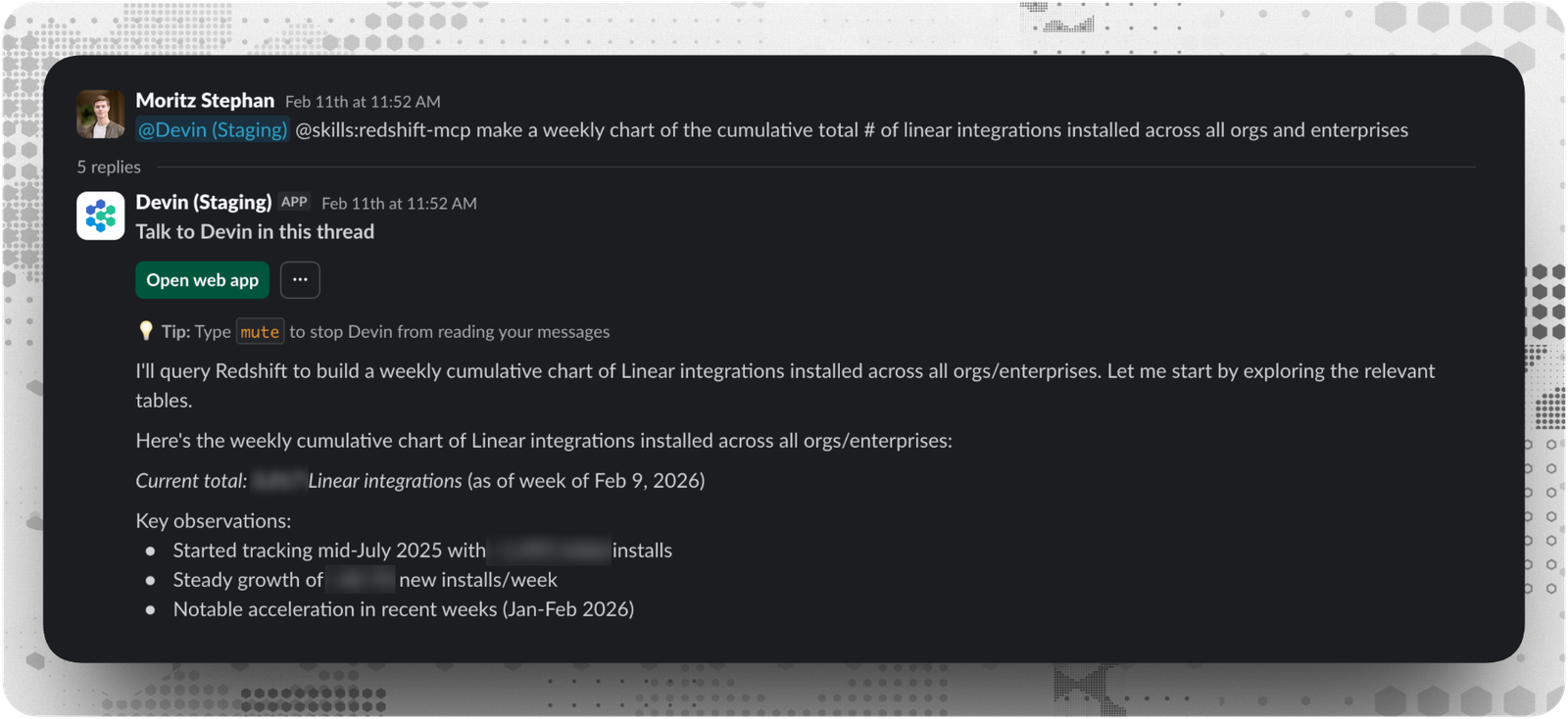
For example, we chart cumulative Linear integrations across all orgs by tagging Devin in Slack with the Redshift MCP—this gives us a weekly breakdown, key observations, and a Metabase link we can share.
Session Insights
Session Insights analyzes completed Devin sessions and provides actionable recommendations for improvement.
After Devin completes a task, Session Insights examines:
- Issues and challenges (technical problems, communication gaps, scope creep)
- Session timeline with key milestones and efficiency metrics
- Action items including immediate improvements and process optimizations
- Improved prompt suggestions with enhanced instructions
We use insights from one session to inform the next. We can spin up new sessions directly from the insights using the improved prompts. Over time, sessions get more efficient.
API Access
Devin exposes a full REST API, so agents don't need a human in the loop to start working. We connect Devin to our existing systems and trigger sessions programmatically:
- A crash log lands from Sentry → Devin investigates and opens a PR
- A bug report is filed → Devin reproduces, diagnoses, and patches
- A deployment fails → Devin analyzes logs and suggests a fix
- A code review is requested → Devin reviews and leaves comments
Where Devin Excels
Devin can take on most engineering work, including complex tasks. Success scales with specificity. Well-scoped tasks with clear criteria get the best outcomes.
Tasks we consistently use Devin for:
- High volume iterative improvements
- Bug fixes and edge cases
- Improving test coverage
- Investigating CI failures
- Lint errors and CVE remediation
- PR review
- Maintaining documentation
- Remediating security vulnerabilities from static analysis
- Codebase Q&A
Tips for Complex Tasks
- Large-scale challenges should be broken into smaller, isolated tasks across separate sessions.
- Devin excels at building interfaces that work; styling them beautifully is still a human strength.
- Mobile development works, but Devin doesn't have a phone to test with.
- For anything requiring extensive testing and validation, we make sure verification mechanisms are in place.
Getting Started
Minimum Setup
- Sign up at app.devin.ai
- Connect your GitHub, GitLab, or Bitbucket
- Add your first repository
- Start a session with a simple task
Scaling Up As You Get Comfortable:
- Add Knowledge to teach Devin your codebase conventions
- Create Playbooks for repeated tasks
- Connect Slack for inline collaboration
- Enable MCPs for your tools
- Use Ask Devin to scope complex work before starting sessions
Treat Devin like a team member. Give it context. Teach it your conventions. Let it handle the backlog while you focus on the work that requires senior judgment. An AI software engineer with clear context, working autonomously on well-scoped tasks, is a force multiplier.


